Top 10 Free SEO Tools Every Beginner Should Use in 2026
A practitioner's list of the 10 free SEO tools worth setting up first, with honest free-plan limits and a simple weekly routine for Indian websites.

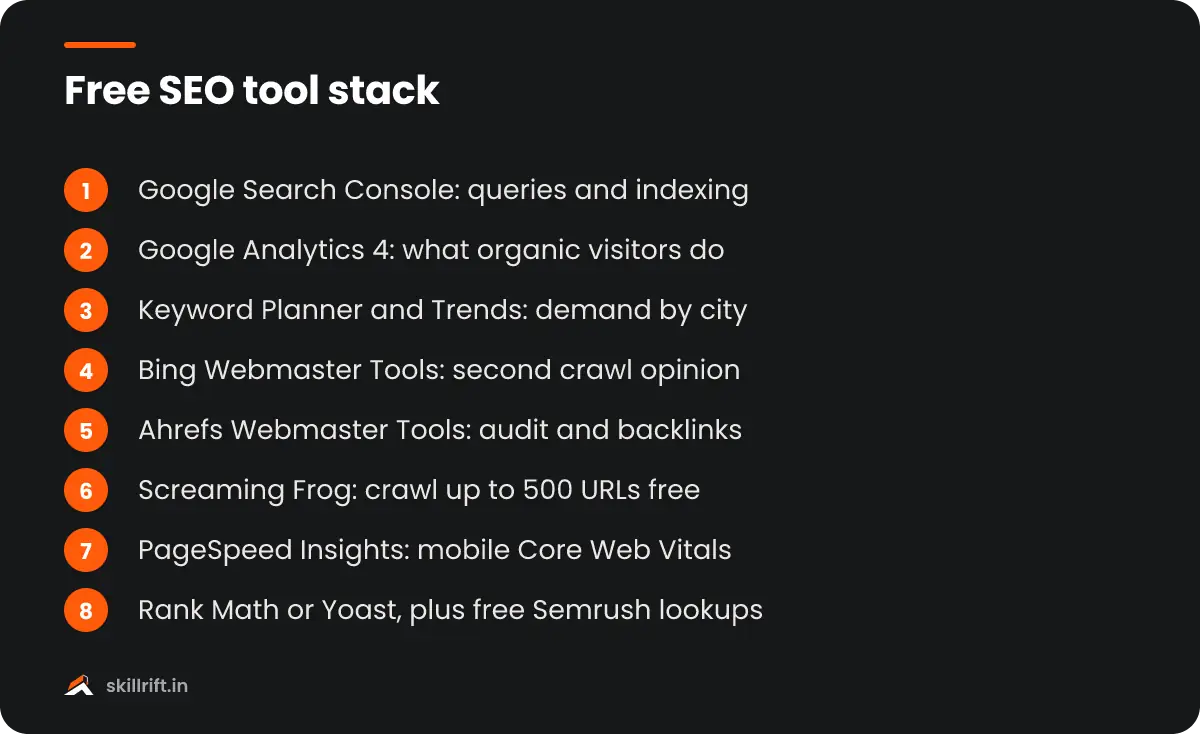
The best free SEO tools for a beginner in 2026 are Google Search Console, Google Analytics 4, Google Keyword Planner, Google Trends, Bing Webmaster Tools, Ahrefs Webmaster Tools, Screaming Frog SEO Spider, PageSpeed Insights, Rank Math or Yoast, and a free Semrush account. Together they cover keywords, technical audits, tracking and on-page work without spending a rupee.
I have run SEO for Indian D2C stores, coaching institutes and local clinics, and most of that work started on a zero-tool budget. Paid suites are useful, but they cost roughly ₹10,000 or more per month, which is hard to justify when you are learning or working with a small client. This list is the stack I would give a beginner on day one, with honest notes on where each free plan stops.
How we picked these free SEO tools
Every tool here is genuinely free, not a 7-day trial that asks for a card. I judged them on three things: whether the data comes from a reliable source, whether a beginner can get value in the first hour, and whether the free limit is enough for a site with a few hundred pages.
Google’s own tools rank high for a simple reason: they show data about your site that no third-party tool can see. Third-party free SEO tools are still worth adding because they show competitor data and technical issues that Google does not surface in one place.
Free plan limits change often. I have described them as they stood when this article was written, so check the vendor’s pricing page before you plan around a specific number.
Top 10 free SEO tools every beginner should use
Here is the list in the order I would set them up, starting with the tools that give you first-party data about your own website.
1. Google Search Console
Search Console is the one tool you cannot skip. It shows the queries your pages appear for, impressions, clicks, average position, indexing problems and Core Web Vitals, all straight from Google.
Start with the Performance report filtered to the last three months. Sort by impressions and look for queries where you sit in positions 8 to 20. Those pages are close to page one, and a better title, a clearer heading or a few internal links often moves them up. Google’s Search Console getting-started guide explains each report.
2. Google Analytics 4
Search Console tells you what happens before the click; GA4 tells you what happens after it. Use it to see which organic landing pages actually produce enquiries, WhatsApp clicks or purchases.
Link GA4 with Search Console so you can see queries and landing-page behaviour together. If you have not installed it yet, follow our guide on how to set up Google Analytics 4 step by step.
3. Google Keyword Planner
Keyword Planner is built for advertisers, but it is free inside a Google Ads account and gives you search volume ranges straight from Google. You can target India, a single state or a city such as Pune, which most free keyword tools cannot do well.
Without active ad spend you see ranges like “1K–10K” rather than exact numbers. That is fine for comparing ideas. The more useful feature is “Discover new keywords”, which turns a seed term like “CA coaching” into dozens of related searches.
4. Google Trends
Trends shows relative interest over time, not absolute volume. It is the best free way to spot seasonality and regional demand inside India.
A wedding photographer in Jaipur, for example, can see that interest rises before the winter wedding season and plan content two months earlier. Compare two or three phrases at once and switch the region to a specific state to see where demand is concentrated.
5. Bing Webmaster Tools
Bing’s share of searches in India is small, but its webmaster tool is one of the more generous free SEO tools from any search engine. You can import your sites from Search Console in a couple of clicks, then get a free site scan, backlink data and keyword research.
Bing’s index also powers Microsoft Copilot, so being indexed properly there is worth the five minutes. I treat it as a second opinion on crawl issues that Search Console sometimes reports slowly.
6. Ahrefs Webmaster Tools
Ahrefs Webmaster Tools, now branded as Ahrefs Free, gives you a site audit and Site Explorer data for any website you verify. The site audit scans for over 170 technical and on-page issues, and Site Explorer shows your organic keywords and backlinks.
The catch is that it only works for sites you own and verify. The free limits, as listed on Ahrefs’ site, include 5,000 crawl credits per project each month and up to 1,000 backlinks or keywords visible at a time. For a small business site, that is plenty.
7. Screaming Frog SEO Spider
Screaming Frog is a desktop crawler that reads your site the way a search engine bot does. The free version crawls up to 500 URLs, which covers most small business sites and blogs.
Use it to find broken links, redirect chains, missing title tags, duplicate meta descriptions and pages blocked by robots.txt. The interface looks intimidating at first. Start with the Response Codes and Page Titles tabs and ignore the rest until you are comfortable.
8. PageSpeed Insights
PageSpeed Insights tests a URL and reports Core Web Vitals: Largest Contentful Paint, Interaction to Next Paint and Cumulative Layout Shift. Where enough real Chrome user data exists, it shows field data alongside the lab test.
Always test on mobile first. Most Indian traffic comes from mid-range Android phones on variable 4G, so a page that scores well on a laptop can still feel slow to your actual visitors. Heavy sliders, uncompressed hero images and too many plugins are the usual culprits.
9. Rank Math or Yoast SEO (WordPress)
If your site runs on WordPress, a free SEO plugin handles the on-page basics: editable titles and meta descriptions, XML sitemaps, canonical tags and basic schema markup. Rank Math and Yoast both do this well in their free versions.
Pick one, not both. Running two SEO plugins creates duplicate tags. Also, do not chase the green score light. The plugin’s checklist is a reminder, not a ranking formula.
10. Semrush free account
A free Semrush account gives you a limited number of keyword and domain lookups per day, along with a small site audit and one project. It is the easiest way to peek at a competitor’s top pages and keywords without paying.
The daily limit runs out quickly, so plan your lookups. I use it for focused tasks: checking what a competitor ranks for, validating a keyword’s difficulty, or looking at the SERP features for a query before writing.
Free SEO tools compared at a glance
This table shows what each tool is best at and where the free version stops, so you can decide which ones to set up first.
| Tool | Best for | Free limit (typical) | Data source |
|---|---|---|---|
| Google Search Console | Queries, indexing, Core Web Vitals | Fully free | Google, first-party |
| Google Analytics 4 | Organic traffic behaviour, conversions | Fully free | Your site |
| Google Keyword Planner | Search volume ranges by location | Ranges without ad spend | Google Ads |
| Google Trends | Seasonality, regional demand | Fully free | Google Search |
| Bing Webmaster Tools | Second crawl opinion, backlinks | Fully free | Bing |
| Ahrefs Webmaster Tools | Site audit, backlinks, keywords | Verified sites only | Ahrefs index |
| Screaming Frog | Technical crawl | 500 URLs per crawl | Your site |
| PageSpeed Insights | Speed and Core Web Vitals | Fully free | Lighthouse and Chrome users |
| Rank Math / Yoast | On-page SEO in WordPress | Core features free | Your site |
| Semrush (free) | Competitor and keyword checks | A few lookups per day | Semrush index |
Two honourable mentions: Google’s Rich Results Test, which checks whether your schema markup is valid, and AnswerThePublic, which turns a seed keyword into question-style searches with a small number of free searches per day.
How to combine these tools into a weekly SEO routine
A tool only helps if you open it regularly with a specific question. This is the routine I give beginners, and it takes about two hours a week for a small site.
- Monday: check Search Console. Look at the Pages report for new indexing errors and the Performance report for queries that dropped or jumped.
- Tuesday: find one opportunity. Pick a page sitting in positions 8 to 20 and improve its title, intro and internal links.
- Wednesday: research one new topic. Use Keyword Planner and Google Trends to validate demand, then check the top results manually. Our guide to free keyword research methods covers this step in detail.
- Thursday: run a technical check. Crawl the site with Screaming Frog or Ahrefs’ site audit once a month and fix broken links and missing titles.
- Friday: review results in GA4. See which organic landing pages produced leads or sales, and note them in a simple sheet.
The point is consistency. A beginner who does this every week for three months will learn more than one who buys an expensive suite and opens it twice.
Common mistakes beginners make with free SEO tools
The biggest mistake with free SEO tools is trusting third-party numbers as exact. Volume and traffic estimates from any tool, free or paid, are models. Use them to compare options, not as promises.
- Ignoring Search Console. People spend hours in third-party tools while their own Google data sits unused.
- Chasing tool scores. A 100 on PageSpeed or a green dot in a plugin does not guarantee rankings. Fix what affects real users first.
- Targeting national keywords too early. A Delhi dental clinic should target “dentist in Dwarka” before “best dentist in India”.
- Collecting tools instead of acting. Five tools used well beat fifteen bookmarks.
- Not checking the actual results page. Search the keyword yourself. If the top results are all marketplaces or videos, a blog post may not compete.
When to upgrade from free SEO tools to paid ones
Upgrade when the free limits slow down paid work, not before. For most freelancers that happens when they manage three or more client sites or need daily rank tracking and deep competitor research.
Even then, start with one paid tool rather than three. Many Indian freelancers pick a single all-in-one suite on a monthly plan during heavy months and pause it when work is light. Your free stack of Google tools, Screaming Frog and Ahrefs Webmaster Tools stays useful alongside it.
Next steps
The free SEO tools above are enough to learn SEO properly and to deliver real results for a small business. Set up Search Console and GA4 today, add one third-party crawler this week, and follow the weekly routine for a month before you judge your progress.
If you want a structured path with real projects and feedback, the SkillRift SEO course walks through each of these tools on live sites, or you can start with the free masterclass.
Frequently asked questions
Which free SEO tools should a beginner set up first?
Start with Google Search Console and Google Analytics 4, because they show real data about your own site. Then add Google Keyword Planner for research and a crawler such as Screaming Frog or Ahrefs Webmaster Tools for technical checks. These four cover most of what a beginner needs in the first three months.
Can you do SEO properly without paid tools?
Yes, for small and medium websites. Google's free tools give first-party search and traffic data, while free crawlers and plugins handle technical and on-page work. Paid tools mainly save time on competitor research and rank tracking, which matters more once you manage several client sites or very large websites.
Is Google Keyword Planner free to use?
Yes. Keyword Planner is free inside a Google Ads account, and you do not have to run a campaign to use it. Without active ad spend, Google shows search volume as ranges such as 1K to 10K instead of exact numbers, which is still useful for comparing keyword ideas and checking local demand.
How accurate is the data from third-party SEO tools?
Traffic and volume figures from third-party tools are estimates built from their own crawls and clickstream models, so treat them as directional. Use them to compare keywords or competitors against each other. For your own site, Google Search Console is the most reliable source because it reports Google's actual impressions and clicks.
Do I need coding skills to use these tools?
No. Search Console, GA4, Keyword Planner, Trends and the WordPress SEO plugins work without code. Screaming Frog and PageSpeed Insights show technical issues, and fixing some of them, such as speed problems or redirects, may need help from a developer, but you can still find and prioritise the problems yourself.