Measure Conversions on Customer Devices: What Meta Changed on 12 November
From 12 November 2026, Meta's Pixel can match purchases on the shopper's device. Here is what changes for Indian advertisers, how your numbers may move and where to find the switch.
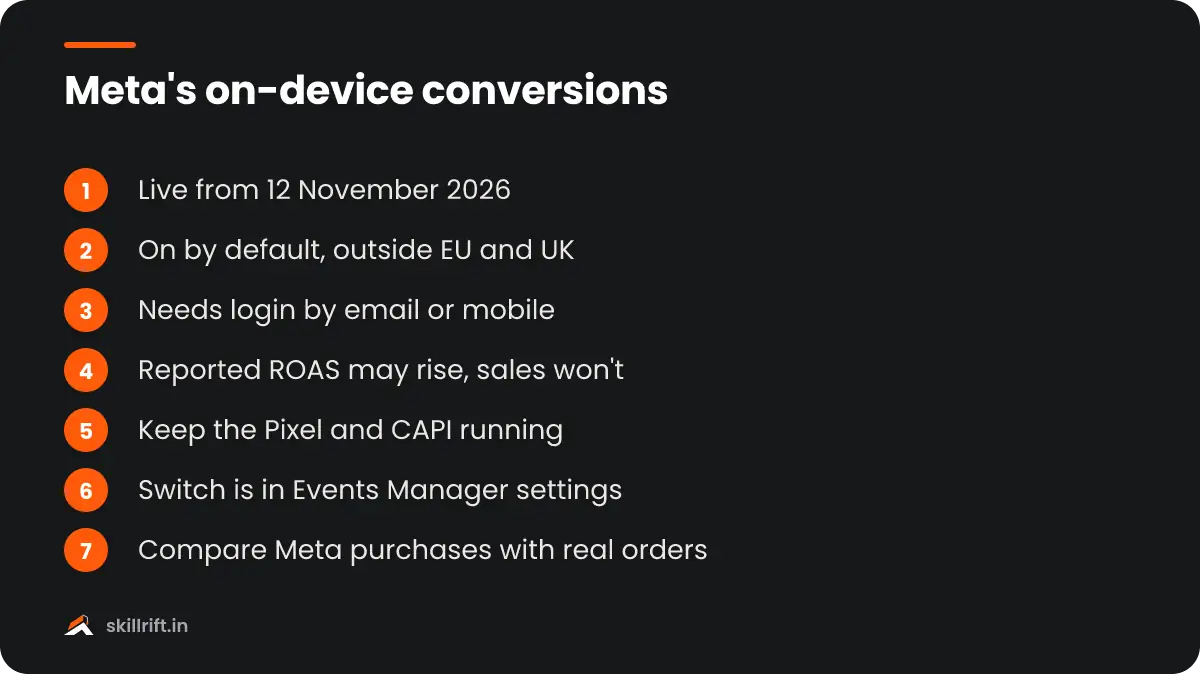
Measure conversions on customer devices is a new Meta Pixel setting that matches ad views to purchases on the shopper’s own phone or computer instead of only on Meta’s servers. Meta switched it on by default for eligible pixels outside the EU and UK from 12 November 2026, so Indian advertisers may see more reported conversions without any change in real sales.
What changed in Meta’s conversion tracking on 12 November?
Meta added a second way for the Pixel to count purchases. Matching now also happens on the customer’s device, and the setting is on by default for eligible pixels that already send events.
Advertisers first saw the notice in Events Manager in mid-October. PPC Land reported that the settings panel shows “Measurement starting November 12, 2026”, and that no code change or new integration is needed. You do not have to do anything for it to start, which is exactly why you should know about it.
With this feature on, that measurement happens on your customer’s device instead of exclusively on Meta servers.
Meta, Events Manager settings text, as reported by PPC Land
Free playbook
Get the free Google Ads Playbook
A 25-page guide covering account setup, conversion tracking, keywords, ads, bidding, Performance Max, a 30-day launch plan, an audit checklist and templates. We email it to you, plus occasional new guides. Unsubscribe anytime.
How does the measure conversions on customer devices setting work?
The Pixel pairs an email address or phone number the customer already gave your website with temporary device data, and does the match on the device. Meta receives only the fact that a purchase happened and which campaign gets the credit.
Meta’s help article, Measuring conversions on customer devices, describes this as a way to count conversions that would otherwise go unmeasured. Think of a shopper who saw your Instagram ad, came back days later from a different browser and bought. Browser restrictions and blocked cookies often break that link today.
Is it the same as the Conversions API?
No. The Conversions API (CAPI) sends events from your server to Meta. On-device matching is an extra path that works alongside the Pixel and CAPI, and Stape notes it complements server-side tracking rather than replacing it.
So keep your CAPI setup running. Meta has its own reasons to push it: PPC Land reports Meta’s claim that advertisers using one-click Conversions API with the Pixel see an average 17.8% lower cost per result.
Does it change attribution windows or bidding?
Meta says the attribution window and model stay the same. It has not said whether the extra conversions also feed bidding, delivery and audiences, or only reporting, so treat that as unknown for now.
Does this apply to advertisers in India?
Yes. Meta excludes only people located in the EU and UK, so pixels serving Indian shoppers are in scope if the website meets the eligibility conditions below.
Which websites are eligible?
According to Relevant Audience’s summary of Meta’s help pages, two conditions apply:
- The Pixel sits directly on the page, not inside an iframe or as an image-only pixel.
- The website requires login with an email address or a mobile phone number.
- Guest-checkout stores do not meet the condition, so a Shopify store without customer accounts is unlikely to see any change.
The mobile number condition matters in India, where many D2C stores, edtech platforms and apps use phone-number OTP login instead of email. If your site works that way, assume the feature is live on your pixel and check.
How will your Meta Ads numbers change?
Reported purchases may go up, which pushes reported CPA down and reported ROAS up, while your real orders and spend stay the same. More attributed conversions do not mean more sales.
| Metric in Ads Manager | What may happen | What to compare it with |
|---|---|---|
| Purchases | May rise from 12 November | Orders in Shopify, WooCommerce or your backend |
| Cost per purchase (CPA) | May fall | Spend ÷ real orders from Meta-tagged UTMs |
| ROAS | May rise | Revenue in GA4 or your backend ÷ Meta spend |
| Conversion value | Unclear: Meta has not confirmed values are passed | Backend revenue |
| Attribution window | No change, per Meta | Nothing to change |
Meta has long argued that standard reports under-count its ads. Its “Suite of Truth” paper, covering 307 studies across 54 advertisers, puts the median undervaluation from rules-based attribution at 31%. That is Meta’s own research, so read it as Meta’s position, not independent proof. If you need a refresher on the maths, see how to calculate ROAS correctly.
How do you check or turn off the setting?
The switch lives in each pixel’s settings in Events Manager and takes under a minute to find. It works per pixel, so check every pixel you manage.
Step 1: Open Events Manager
Go to Events Manager from Meta Business Suite or Ads Manager with an account that has admin access to the dataset.
Step 2: Select the pixel under Data sources
Click Data sources in the left menu and pick the pixel (dataset) used by your website.
Step 3: Open the Settings tab
Scroll below the Meta Pixel section until you see “Measure conversions on customer devices” and its on/off switch.
Step 4: Note the date and decide
Write down whether it is on and the date, so you can explain any jump in reports later. Leave it on unless your Meta numbers stop matching real orders.
Should you turn it off?
For most advertisers, no. If the recovered conversions are real, sales your ads drove are finally being counted. Turn it off only if reported purchases drift away from your actual orders and you cannot explain the gap.
The timing is awkward. The change landed two weeks before Black Friday and in the middle of India’s wedding-season sales, when brands compare performance week on week. If you report to a client or a boss, tell them before they see the numbers, not after. Beginners learning the platform can read our guide on how to learn Meta Ads for the tracking basics.
Our Take
Don’t judge any campaign on the two weeks either side of 12 November. Add an annotation in your reports, keep a simple sheet with Meta purchases next to real orders every day, and watch the ratio rather than the raw number. If the ratio moves and your sales don’t, you have your answer. Make no budget cuts or increases based only on a sudden ROAS jump.
Common mistakes to avoid after this change
The risk is not the feature itself but reacting to numbers that changed for a reason unrelated to performance.
- Scaling budgets on a reporting bump. A ROAS jump the week of 12 November may be measurement, not results.
- Comparing before and after periods directly. Mark the change date and compare like with like.
- Switching off CAPI because “Meta now tracks on device”. The two work together.
- Opting out by reflex. You may lose real attributed sales; test against backend orders first.
- Forgetting other pixels. The setting is per pixel, so check every brand and client dataset.
Key takeaway: from 12 November, Meta may report more purchases for logged-in shoppers outside the EU and UK, including India. Keep the setting on, keep CAPI running, and judge results against your real orders, not Ads Manager alone.
Tracking changes like this are why performance marketers need to read data, not just run ads. The SkillRift performance marketing course covers Meta tracking, CAPI and attribution with Indian examples. If you are preparing for interviews, expect questions on it: see our Meta Ads interview questions.
Frequently asked questions
Do I need to change my Pixel code for this?
No. Meta’s notice says no code change or integration update is needed. The setting is on by default for eligible pixels, and you can switch it off in the pixel’s Settings tab in Events Manager.
Why did my Meta ROAS jump in mid-November?
Part of it may be on-device measurement, which can attribute more purchases to your ads from 12 November. Compare Meta-reported purchases with your real orders before deciding the campaign improved.
Does on-device measurement work for guest checkout?
It should not. Meta’s stated condition is a website that requires login with an email address or mobile number, so stores that only offer guest checkout are unlikely to be affected.