How to Calculate ROAS (and Know What a Good ROAS Is in India)
The ROAS formula with worked rupee examples, how to clean it for GST, COD returns and double counting, and how to find the break-even ROAS your margins demand.

Here is how to calculate ROAS: divide the revenue your ads generated by what you spent on those ads. If you spend ₹50,000 on Meta and the campaign brings in ₹2,00,000 of sales, your ROAS is 4, often written as 4x or 400%. A good ROAS is any number above your break-even point, which depends on your margins.
The formula is simple. The hard part is feeding it honest numbers. Indian e-commerce adds complications that most global guides skip: GST inside order values, cash-on-delivery returns and platforms that each claim the same sale. This guide covers all of it with worked rupee examples.
The ROAS formula, explained simply
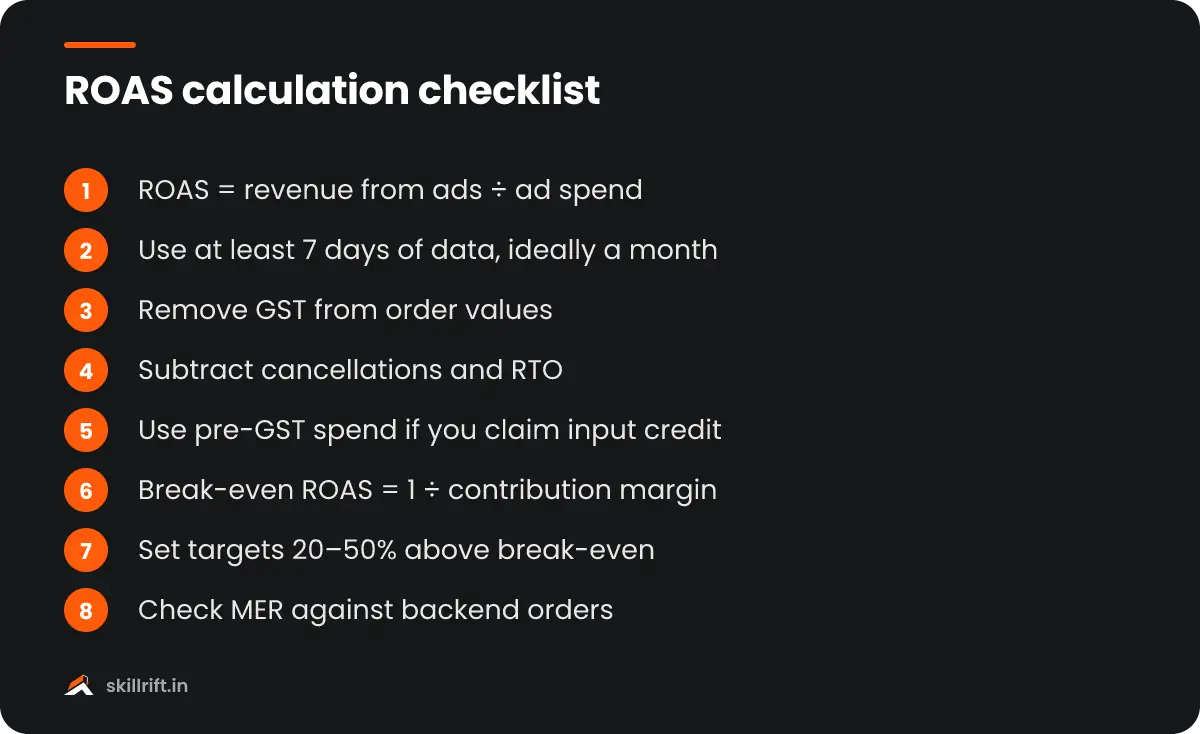
ROAS (return on ad spend) equals revenue attributed to ads divided by ad spend. It tells you how many rupees of sales each rupee of advertising produced.
ROAS = Revenue from ads ÷ Ad spend
Three quick examples:
- A Jaipur block-print brand spends ₹20,000 on Meta and records ₹70,000 in sales. ROAS = 70,000 ÷ 20,000 = 3.5.
- A Pune electronics accessories store spends ₹1,00,000 on Google Shopping for ₹6,50,000 in sales. ROAS = 6.5.
- A Kochi spice brand spends ₹15,000 and sells ₹12,000. ROAS = 0.8, meaning it got back less than it spent, even before product costs.
Google Ads shows ROAS as the “Conv. value / cost” column, written as a decimal like 3.5. Its Target ROAS field uses percentages, so 3.5 becomes 350%. Meta shows “Purchase ROAS” as a decimal. Same idea, different labels.
Free playbook
Get the free Google Ads Playbook
A 25-page guide covering account setup, conversion tracking, keywords, ads, bidding, Performance Max, a 30-day launch plan, an audit checklist and templates. We email it to you, plus occasional new guides. Unsubscribe anytime.
How to calculate ROAS step by step
To calculate ROAS properly, fix the time period and attribution first, then clean the revenue and spend figures before you divide. Skipping the cleaning step is the most common reason a “profitable” campaign quietly loses money.
- Pick a time period. Use at least seven days, ideally a full month. Daily ROAS swings too much to act on, especially for products people think about before buying.
- Choose an attribution setting and stick to it. Meta’s common default is 7-day click and 1-day view. Google Ads uses data-driven attribution for most conversion actions. Changing windows changes ROAS, so compare like with like.
- Pull revenue from ads. Take the conversion value from the platform, or better, match ad-driven orders in your Shopify or WooCommerce backend using UTM parameters.
- Remove GST from revenue. Order values in India usually include GST, which you pass to the government. Divide by 1.18 for products taxed at 18%, or use the correct rate for your category.
- Subtract cancellations and returns. Remove cancelled orders, RTO (return to origin) on COD orders and refunds. Use the actual rate from your last few months.
- Use ad spend without GST if you claim input credit. Google and Meta charge 18% GST on ads in India. GST-registered businesses can usually claim it back, so use the pre-tax figure. If you cannot claim it, include the GST.
- Divide. Clean revenue ÷ clean spend = your true ROAS.
A worked example for an Indian D2C brand
Here is how to calculate ROAS for a typical month at a Bengaluru skincare brand. Last month it spent ₹1,00,000 on Meta (excluding GST, which it claims back). Ads Manager reports ₹4,20,000 in purchase value, so platform ROAS is 4.2. Now clean it:
| Step | Calculation | Result |
|---|---|---|
| Reported purchase value | From Ads Manager | ₹4,20,000 |
| Remove 18% GST | 4,20,000 ÷ 1.18 | ₹3,55,932 |
| Remove cancellations and RTO (15%) | 3,55,932 × 0.85 | ₹3,02,542 |
| Ad spend (pre-GST) | From Ads Manager | ₹1,00,000 |
| True ROAS | 3,02,542 ÷ 1,00,000 | 3.03 |
The dashboard says 4.2. The business actually earned about 3.0 per rupee. That gap decides whether you scale or cut.
How to calculate ROAS in Google Ads and Meta Ads Manager
Both platforms calculate ROAS for you once conversion values are tracked; you only need to add the right column and check what value is being sent.
In Google Ads
- Go to Campaigns and click the Columns icon, then Modify columns.
- Under Conversions, add “Conv. value / cost” and “Conv. value”.
- Check that your purchase conversion action sends dynamic order values, not a fixed value of 1.
- Filter to your primary conversion actions so micro-goals like page views do not inflate value.
In Meta Ads Manager
- Open Columns, then Customise columns.
- Search for “Purchase ROAS” and “Purchases conversion value” and add both.
- Use the Compare attribution settings option to see how click-only results differ from click plus view.
- Confirm the pixel and Conversions API send the order value and currency (INR) with each purchase.
If values look wrong, the problem is usually in tracking, not the formula. Our guide to setting up Google Tag Manager walks through passing purchase values correctly.
Break-even ROAS: what a good ROAS is in India
A good ROAS is one above your break-even ROAS, and break-even ROAS is 1 divided by your contribution margin. There is no universal “good” number; a 3x ROAS is excellent for one brand and a loss for another.
Contribution margin is what is left from each sale (excluding GST) after product cost, packaging, shipping, payment gateway fees and an allowance for returns. For example, a ₹1,000 product (pre-GST) with ₹300 product cost, ₹40 packaging, ₹80 shipping, ₹20 gateway fees and ₹60 return allowance keeps ₹500. Margin is 50%, so break-even ROAS is 1 ÷ 0.5 = 2.
| Contribution margin | Break-even ROAS | Typical fit |
|---|---|---|
| 20% | 5.0 | Electronics, appliances, resold brands |
| 30% | 3.3 | Packaged food, home goods |
| 40% | 2.5 | Fashion, footwear |
| 50% | 2.0 | Own-brand apparel, accessories |
| 60% | 1.7 | Skincare, supplements |
| 70% | 1.4 | Digital products, courses |
The “typical fit” column is a rough guide; your own cost sheet is what counts. Once you know break-even, set a target ROAS above it, usually by 20 to 50%, to cover overheads like salaries, rent and agency fees and still make a profit.
When a ROAS below break-even is acceptable
Repeat-purchase brands can accept a first-order ROAS under break-even if customers reliably come back. A coffee or pet food brand whose customers order four times a year may happily break even on order one. Do this only when you have real repeat-rate data, not hope.
ROAS vs ROI vs MER vs POAS
ROAS measures ad efficiency, while ROI, MER and POAS answer bigger questions about profit and the whole marketing budget. Use them together.
| Metric | Formula | Best used for |
|---|---|---|
| ROAS | Ad revenue ÷ ad spend | Comparing campaigns and setting bid targets |
| ROI | (Profit − investment) ÷ investment | Judging whether marketing made money overall |
| MER | Total revenue ÷ total marketing spend | Checking blended efficiency across all channels |
| POAS | Gross profit from ads ÷ ad spend | Brands with very different margins across products |
MER matters because Google, Meta and Amazon often credit the same sale. If platform ROAS adds up to more revenue than your store recorded, trust MER and the backend.
ROAS for lead generation businesses
Lead-based businesses can calculate ROAS too, but only after assigning a rupee value to leads that turn into customers. Without that, track cost per lead and cost per sale instead.
Take a Delhi coaching institute that spends ₹60,000 on Google Search and gets 200 leads. If 10% enrol at a ₹30,000 fee, revenue is 20 × ₹30,000 = ₹6,00,000, and ROAS is 10. Upload those enrolments back to Google Ads as offline conversions so Smart Bidding learns which searches produce paying students, not just form fills. Our Google Ads on a small budget guide covers setting up lead tracking cheaply.
Common mistakes when calculating ROAS
Most ROAS errors come from inflated revenue, not wrong maths. Watch for these:
- Counting GST as revenue. It inflates ROAS by up to 18% for most products.
- Ignoring RTO. COD-heavy brands can lose a large share of placed orders; calculate on delivered orders.
- Adding platform ROAS together. Meta, Google and marketplaces double count shared customers.
- Judging too early. A three-day window misses buyers who take a week to decide.
- Letting brand search carry the account. Brand campaigns and Performance Max often show high ROAS on people who would have bought anyway.
- Tracking fixed values. A conversion value of 1 for every purchase makes ROAS meaningless.
Google’s Target ROAS help page also recommends setting targets from historical conversion value per cost, which only works if that history is clean.
Next steps: putting how to calculate ROAS into practice
Start with a cost sheet, not a dashboard. Once you know how to calculate ROAS honestly, the rest of your decisions get easier.
- List every cost per order for your top three products and work out the contribution margin.
- Calculate break-even ROAS for each and write it at the top of your reporting sheet.
- Pull last month’s platform ROAS, then clean it for GST, returns and cancellations.
- Compare MER with the sum of platform-reported revenue to see how much double counting exists.
- Set target ROAS in Google Ads or Meta from the cleaned history, not from a benchmark.
If you are new to paid media, our beginner’s guide to performance marketing explains the wider funnel. For hands-on work with real ad accounts, the SkillRift performance marketing course covers ROAS targets, tracking and scaling, or you can join the free masterclass first.
Note that Meta changed how it counts purchases in November 2026: read what Meta’s on-device conversion measurement means for ROAS.
One of the cheapest ways to raise ROAS is a better landing page: see how to do conversion rate optimization.
Frequently asked questions
How to calculate ROAS as a percentage?
Divide ad revenue by ad spend and multiply by 100. If ₹40,000 of spend produced ₹1,60,000 in sales, ROAS is 4, or 400%. Google Ads uses the percentage format in its Target ROAS setting, while its reporting column and Meta’s Purchase ROAS show the decimal version.
What is a good ROAS for e-commerce in India?
It depends on your margin. Many Indian D2C brands with 40 to 60% contribution margins aim for roughly 2.5x to 4x, while low-margin electronics sellers may need 6x or more. Calculate your break-even ROAS first, then set a target comfortably above it to cover overheads and profit.
Should I include GST when calculating ROAS?
Remove GST from revenue, because it belongs to the government, not your business. For ad spend, use the pre-GST amount if you are GST-registered and claim input tax credit on Google or Meta invoices. If you cannot claim that credit, include the 18% GST in your spend figure.
Is a higher ROAS always better?
Not always. A very high ROAS can mean you are spending too little and missing profitable sales, or that campaigns only reach existing customers. The goal is maximum total profit, which often means accepting a slightly lower ROAS at a higher spend, as long as you stay above break-even.
How is ROAS different from ROI?
ROAS compares revenue with ad spend only. ROI compares profit with total investment, after product costs, shipping, fees and overheads. A campaign with 3x ROAS can still have negative ROI if margins are thin, so use ROAS to manage campaigns and ROI to judge the business.